LIVE COLONY TOOL
Wall World Strategy Power Planner for Your Next Building
Use current generation and load to see your spare power. Add a defense or production building and compare the new balance without treating batteries as supply.
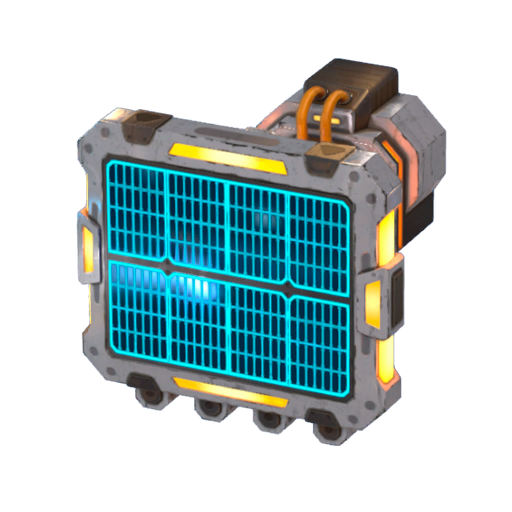
Start with the current panel
Use actual generation and load from the same moment. This anchors the comparison to your colony.
What will you add?
Choose the building and how many you want, or use its power number from your game.
Do you have stored electricity?
Before you place the next building
If the added load makes the balance negative, restore a working generator or change the build order. A battery can store power, but it cannot keep a colony running without enough generation. Check the electricity panel once the new building starts.

How to read the power result
Enter actual generation and current load from the same panel reading. Their difference is the power available before your next building. Add the load of the building you want, then compare the new margin. For example, 50 generation and 40 load leave 10; adding 15 load creates a shortage of 5 unless working supply is added.
The building list can compare each building's starting power use, but a newly placed generator is counted only when you mark it operating. Weather, daylight, staffing and damage can still change its actual output. A battery stores electricity and does not add lasting generation. If the colony has a positive margin but a single building is dark, use the Building Checker for that building's grid or road status.
If the planned margin is negative
Look first for stopped generation you can restore, then for a working source that can cover the shortfall. If neither is available, delay the new load or pause a building only after checking what it supplies. A collector or canteen may be keeping the colony above its water or food reserve. After making a change in the game, read the panel again; the plan should follow the new actual generation and load.

How much power can this colony add?
Read generation and load from the electricity panel at the same moment. Their difference is your current margin. Add the proposed building’s load to see the margin after construction. If the number falls below zero, either restore working generation, postpone part of the build, or reduce a load that is safe to pause.
The building list supplies starting power figures, while the quick mode accepts the reading from your own game. A solar panel can have a listed capacity but produce less under the current daylight or weather. Mark a planned generator as operating only when its conditions will be met, and compare the panel again after it is built.
Why a new generator may still leave buildings dark →Should you switch something off to cover a defense?
Check what the proposed load protects and what a paused facility produces. Switching off a Raincatcher or Canteen can turn an electrical fix into a water or food shortage. Compare the new power balance first, then use the supply planner to see whether your remaining production covers consumption.
A battery holds electricity but does not increase the continuing generation shown in the power balance. The planner keeps storage separate because its amount alone cannot give a reliable running time during a deficit.
Check the water and food effect →