The game’s own road tutorial shows a building with a connection warning, a planned route, and a connected result. Trace the actual route, rather than judging connection by visual closeness.
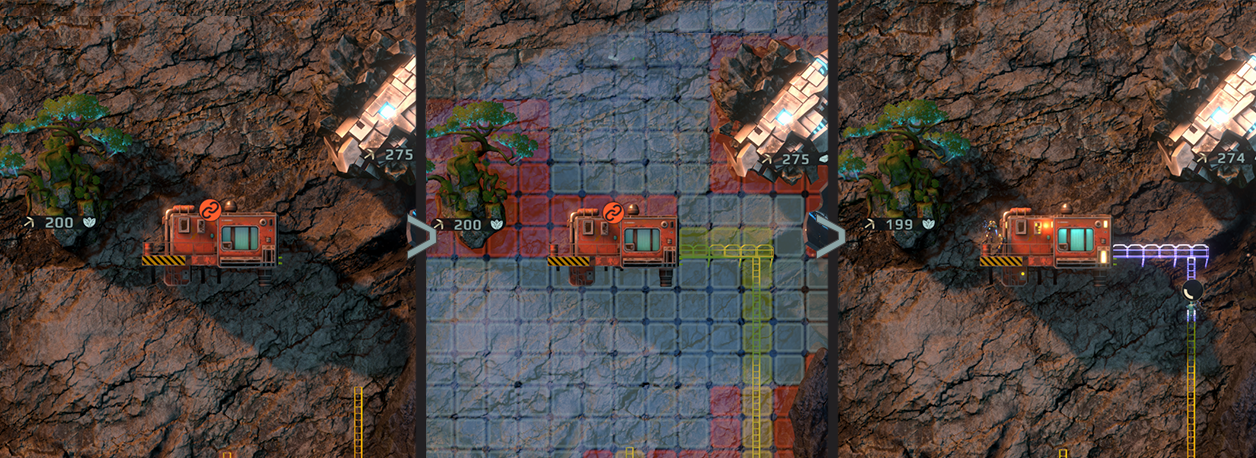


A road looks close to the building, but the access point or a segment toward the Core is missing.
The route is continuous from the building’s access point toward the Core, and the road warning clears.
Look for the road warning
Open the affected building and check its status. If it reports a missing road, trace from that building’s access point along continuous segments toward the Core.
Repair the first break
Place the missing segment where construction allows it. If you are removing a road, first check whether the segment is a shared link for other buildings.
Confirm the result at the building
Reopen the status. The connection warning should clear. If it remains stopped, read its new warning and continue with power, workers or inputs.
Continue the diagnosis →Why a road beside the building may still fail
Visual closeness is not the connection test. Start at the affected building's access point and follow every segment toward the Core. A gap along that route can leave the building disconnected even when another road touches its footprint. Use the road warning on the building to confirm that connection is the current problem.
Check the shared route before changing it
A segment between several buildings and the Core may be the only access path for all of them. If you are replacing a road, inspect the connected buildings first and repair the missing link before removing a shared section. The road tutorial illustrates one disconnected route and a connected result; the access point in your colony can be in a different position.
What if the road warning disappears but output stays at zero?
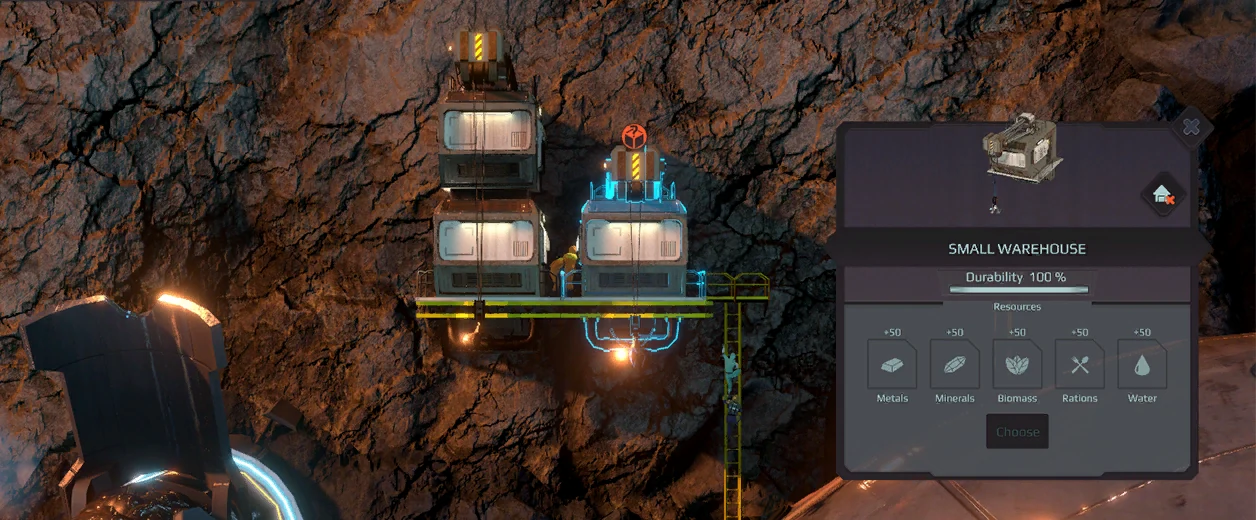
That repair solved access, not every operating condition. Reopen the same building. If it now reports no electricity, staff, input or storage space, follow that new status. For example, a connected Canteen still needs Biomass to make Food. The building checker keeps earlier checks so you can move through one cause at a time.
Disconnected building: four checks in order
The road warning is only the first possible cause. Work through these checks in order and stop when the actual output changes.
| Check | What to do | What it confirms |
|---|---|---|
| Read the building status | Open the affected building and choose the warning you see; a road warning is a connection job. | Connection is the current problem, not power or input. |
| Trace access to the Core | Start at the building’s access point and follow continuous segments toward the Core. | A nearby road that touches the footprint is not proof of a route. |
| Check the shared link | If you removed a segment, inspect the buildings that used it before replacing it. | One break can explain several road warnings at once. |
| Move past a cleared warning | If the road warning is gone but output is zero, check electricity, workers, the named input and output storage. | Access was solved, but another condition still stops the building. |
A connected Canteen still needs Biomass; a mine also needs a deposit in range. Use the building checker to keep earlier checks visible.
After a road repair: why the building can stay offline
Why does my building still show disconnected after a road?
A road segment close to the building is not the connection test. Start at the building’s access point and follow continuous segments toward the Core. A gap along that route, or a removed shared link, can leave the building disconnected even when another road touches its footprint.
Can one missing road stop several buildings?
Yes, when the segment is a shared link between several buildings and the Core. Start at the segment you removed or replaced and trace each affected route. Restoring one shared link can clear several warnings; adding an isolated tile beside each building may clear none.
The road warning is gone, but production is still zero. What next?
Reopen the same building and read its new status. Check electricity, assigned workers, the named input and space for output. A connected Canteen still needs Biomass, and a mining station still needs a reachable deposit. Stop changing roads once the connection warning is clear. Continue with the building checker →
Building entrances can differ. Follow the warning on the affected building and check its actual route to the Core.