Can these tools tell me which build will win?
They show placements, crafting routes, placement effects and visible shop choices. A full battle result depends on item effects and timing these tools cannot check.
PLAN YOUR NEXT MOVE
Fit items across your bags, plan a craft route or class build, and compare what the shop is actually offering you.
Check your backpack ↗
Start with your class bags, lock a key item and see layouts with food, weapon and bag effects that depend on placement.
Open backpack optimizer ↗
Follow a crafting path from what you already own.
Open recipe planner ↗
Choose a class and craft goal, then compare missing pieces, bag space and saved builds.
Open class starter routes ↗
Compare visible offers, sale prices and bag space before you buy, save or reroll.
Open shop assistant ↗
Check which harmful effects an opponent item can cause and find a small change that can remove them.
Open counter planner ↗
Find recipe completions and possible effect connections, then check room across your bags.
Open item pairs ↗
Count the coins for selected offers and rerolls, then see standard income through a later round.
Open gold planner ↗
Use Adventurer’s Broccoli and Garlic starting layout, place Heroic Potion beside Broccoli, and check the Broccotree craft and new space needed.
See the opening ↗
Use the Mage starting layout, see how Book of Basics and Blueberries connect through Mana, and place a Health Potion beside Blueberries for a Mana Potion route.
See the opening ↗
Start with Fire Pit, Flames and Wooden Sword. Place Shiny Shell beside the sword for Shell Totem while the Flames stay in your bag.
See the opening ↗
See the Berserker starting layout and use Forging Hammer as a reusable catalyst for Whetstone upgrades, with a recipe-ready Whetstone placement.
See the opening ↗
Start from Reaper’s Fly Agaric layout, add a Toad beside it to craft Poison Frog, and check what the recipe consumes.
See the opening ↗Use Ranger’s Lucky Clover and Wooden Sword opening, place Whetstone beside the sword, and follow the Hero Sword recipe without changing the starting bag.
See the opening ↗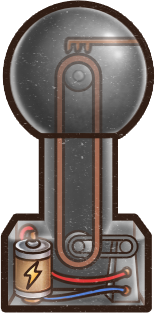
See the Engineer Battery and Resistor starting layout, place a Pan beside Battery, and follow the Generator recipe and bag-space preview.
See the opening ↗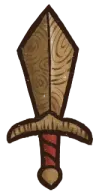
Pick the bag you have. Its open spaces show how much room you can use.
Search an item by name or tap a suggested item. Add several copies when you have them.
The planner rotates and positions items automatically, then shows which ones cannot fit.
PLAN YOUR NEXT MOVE
Check whether items fit, what a recipe needs, and what a shop plan costs. Item pair suggestions show effects that may work together. The shop assistant compares the offers on your screen; the recipe and layout tools show the next item or placement to try.
They show placements, crafting routes, placement effects and visible shop choices. A full battle result depends on item effects and timing these tools cannot check.
Yes. Start from your class items, change only what differs in your run, and carry the setup between planners.
Yes. Add the item you see to the shop assistant. It checks the price, your bag space and any recipe it can finish with the items you own.