Base · Escape routes
Turn a window into a way out
A sheet rope is the cheap second exit. You craft it from a Sheet, attach it to a window and climb down without using the stairs. It is not a locked-door bypass and it is not a silent teleport; you still have to reach the window and climb.
The recipe is simple: one Sheet makes one Sheet Rope. You can also use a Rope if you have one. A long drop needs more than one rope; the window action tells you how many it wants.
How to put a sheet rope in a window
- Craft the rope. Use Craft Sheet Rope with a Sheet. One sheet gives one rope.
- Open the window. Stand inside the building next to the window you want to use.
- Check the action. Right-click the window and choose Tie Sheet Rope or Nail Sheet Rope.
- Nail it if needed. If the window cannot be tied to, you need Nails and a Hammer. The action consumes the nails.
- Climb down. Use the window’s Climb Sheet Rope action. The rope stays attached for the next trip.
| Symptom | Cause | Fix |
|---|---|---|
| No sheet rope option | No Sheet Rope or Rope in inventory | Craft one from a Sheet, or find a Rope. |
| “Need nails and hammer” | The window cannot be tied to | Bring Nails and a Hammer, then nail the rope. |
| The window will not take it | Wrong window or already full | Try a normal window, not a barricaded or reinforced one. |
| You cannot climb | The rope is not attached or you are not adjacent | Stand at the window and use the climb action. |
How many ropes for a multi-storey drop?
The window decides. A window that needs more than one rope shows the count on the action, and you need that many Sheet Rope or Rope items. Do not assume every window takes one; a high drop can take more. Craft the number the action asks for, not the number in a generic guide.
Get the sheet back
Untie the sheet rope to recover the sheet, or use Remove Sheet Rope on the window. That makes a sheet rope a reusable escape route rather than a one-way cost. If the window is destroyed or the rope is removed by a zombie, you lose the route, not the whole base.
When a sheet rope is the right tool
Use one when the stairs are blocked, when the front door is compromised or when you need a quiet exit from a second floor. It is not a way to carry a carload of loot; climb with a light inventory and make the trip twice. The rope does not make the ground floor safe, and it does not stop zombies from waiting below.
A rope is not a zipline
Climbing a sheet rope is still movement. A heavy backpack, exhaustion, pain or a second injury can turn a simple exit into a fall. Send the loot down first or leave it; a character on the ground with a broken leg is worth more than a bag of tools on the second floor.
Keep the ground below the window clear. Zombies can wait at the bottom of the rope, and a window that is safe when you install it may be surrounded by the time you use it. The rope gives you a way out of the building, not a way through a horde.
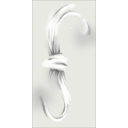 Sheet Rope1 sheet
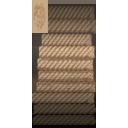 Ropealternative
 Hammer + Nailsif needed