
Escape from Duckov Route Planner
Combine quest errands and supplies, then draw a suggested path between stops and an exit you have confirmed on the Escape from Duckov map.
Choose a quest or map stop
Pick a quest shortcut or add a place from the map. The route can then order your stops on the mapped paths.
Bring or check
Turn in
Stops on the Farm Town map
Add places from the map below. If you know where you are, choose a starting reference; otherwise the first stop anchors the route. Mark an exit only after you see it active in your raid.
Choose a named place or beacon on the map, then add it as a stop.
This is a map suggestion. Doors, obstacles, combat and exits can differ in your raid; check the path as you go.Farm Town
Find named places on the game map or mark places you discover. A quest may mention a landmark without giving its exact objective spot.
Where might I find an item?
Search for an item to see containers that list it. A container or its item may not appear in your current raid.
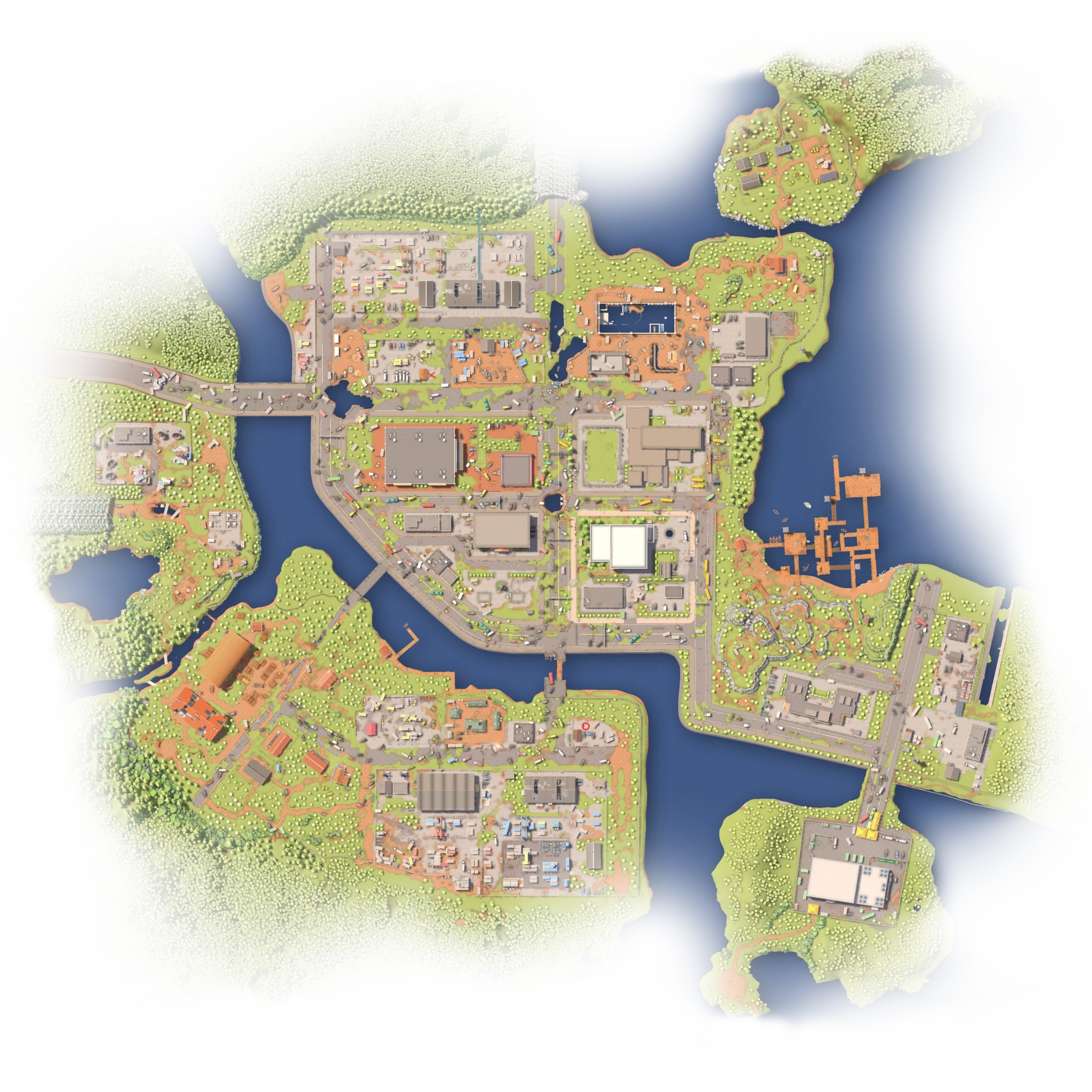
Find a place in Farm Town
Order known stops around an exit you can use
Bring selected quest stops onto one area map, add the places you want to visit and choose which stop matters first. The route uses connected map paths to suggest an order, including a reason when no shared path is found.
Select an exit only after confirming it is active during this raid. A static path cannot see a locked door, a new blocker or your live position; use it as a plan to adjust while moving.
Take your plan to another device
Your chosen quests, buildings, crafting goals, stock, loadout and map stops are saved in this browser. Copy a plan link or download a plan file so you do not have to enter them again.
Before following a suggested path
Can I plan several quest stops at once?
Select quests, open their area map and add the marked stops in one tap. You can move a stop or mark one to visit first.
Will the suggested path choose my active exit?
Choose an exit only after you see it active in your raid. The path uses the map routes shown here and cannot know live doors or blockers.
Use your selected quests as stops
Open an area map, add its marked quest stops and choose an exit only after you see it active in your raid.