← GameToolForgeEnshrouded ↗
Official Enshrouded artwork showing Embervale
← Enshrouded tools

ENSHROUDED / PLAN YOUR NEXT STEP

Enshrouded Weapon Comparison

Compare two weapons in the same slot and see their listed differences before changing your loadout.

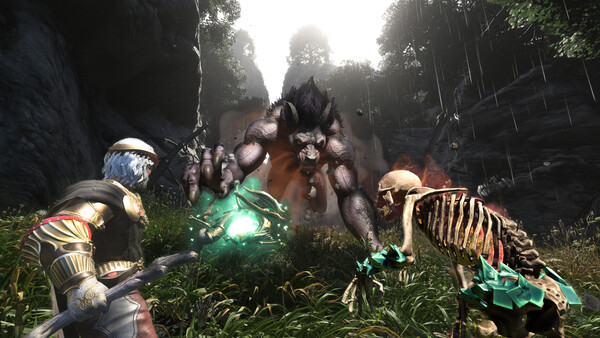
Flameborn ready for combat
Which weapon fits my loadout?
01 / PICK TWO ITEMS

Compare the gear you are considering

Choose a slot, then pick two pieces. The table shows their listed values side by side.

Example comparison — choose your own pieces to compare.

Scrappy Sword

Melee weapon · Common · level 5

This item has no comparable bonus shown.
Sword Of The Serpent

Melee weapon · Rare · level 11

This item has no comparable bonus shown.
02 / WHAT CHANGES

Scrappy Sword vs Sword Of The Serpent

Each row is a value printed for the item, not a total damage or armor score.

Listed valueCurrentComparedChange

Neither item lists a directly comparable bonus.

Item rolls, hidden perks, armor mitigation and skill interactions are not included. A dash in Change means one item has no listed value, so no numeric difference is inferred. Use the rows that matter to your playstyle when choosing a swap.

IN EMBERVALE

Choose a weapon using the values it lists

Compare weapons used in the same slot and look at the changes that matter to your attack style.
Scrappy Sword game weapon icon

Start with a melee replacement

Use Scrappy Sword as a starting example or search for the weapon in your hands. The same-slot filter keeps the second choice a practical replacement. Read each displayed property separately: a higher item level does not by itself explain whether a weapon suits your skills or the fight you expect.

Sword Of The Serpent game weapon icon

Keep rolled weapons personal

Several items can share the Sword Of The Serpent name while differing in level or rarity. The comparison only uses bonuses shown for the selected weapon. It does not invent a damage delta when a value is absent, so the exact rolled weapon in your inventory remains the reference for that property.

Pick a weapon for the fight you expect

Compare the values printed for two weapons in the same slot, then decide which tradeoff suits your skills and preferred range.

01

Start with the weapon slot

Choose melee, ranged, wand or staff equipment before searching. The Enshrouded weapon comparison places two choices side by side and highlights differences in their listed fixed properties. Matching the slot makes the result a practical replacement decision instead of a comparison between tools used for different attacks.

02

Read more than the item level

A higher level can be useful, but the bonuses on the weapon may point toward another playstyle. Look for the properties that support your skills, then use the change column to see what you gain or lose. A blank property means this item does not list a directly comparable fixed value.

03

Keep the result tied to your item

Random rarity, level range and rolled perks can change the weapon you actually hold. This page compares the available item values, not the final damage dealt to an enemy. Use it to shortlist a swap, then inspect your own weapon and your active skill path before equipping it.

Questions before changing weapons

Does this calculate final damage?

These rows compare listed item bonuses. Item level, rolls, skills and enemy defenses affect combat damage.

Can I compare melee with ranged weapons?

Choose a weapon slot first. A direct swap compares items used in the same slot.

Why is a value absent?

Some weapons do not list a fixed value for that property, or it depends on the item roll.

Keep planning

Crafting Calculator↗Material Planner↗Resource Map↗Resource Route Planner↗Armor Comparison↗Build Optimizer↗Comfort Calculator↗Building Materials Calculator↗Quest Tracker↗Skill Tree Planner↗Flame Altar Planner↗

Game artwork © Keen Games. Official Steam page.